Windows Serial Keyboard Wedge

Turn serial device data into keyboard input.

Capture data from scales, gauges, meters, calipers, and sensors and send it directly into Excel, ERP systems, and any Windows application.
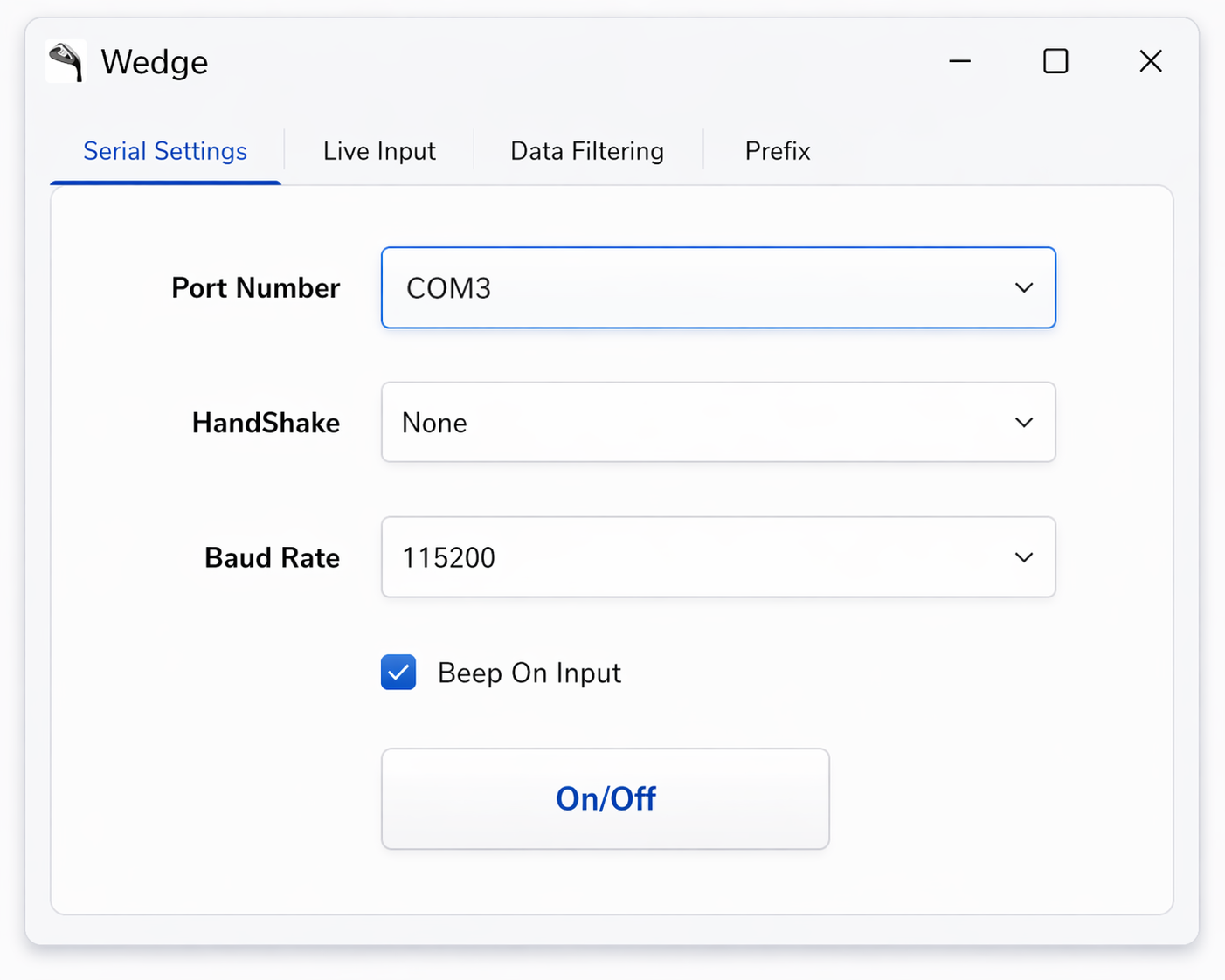
SerialWedge UI

Works with real hardware

Supports RS232 and USB-serial devices including scales, meters, gauges, and sensors.

No custom software needed

Send data directly into any active Windows application without writing integration code.

Built for production use

Ideal for test stations, data logging, Excel workflows, and operator-driven processes.

Common Use Cases

  • Scales → Excel data entry
  • Calipers → ERP systems
  • Sensors → desktop applications
  • Meters → production logging

Why SerialWedge

Bridge industrial devices and standard Windows software instantly. No drivers, no middleware, no waiting on IT.

Quick Setup

1. Connect Your Device

Use a direct RS232 connection or a simple USB-to-serial (UART-to-USB) adapter. Most industrial devices like scales, gauges, and meters already support this.

2. Select COM Port

Open SerialWedge and choose the correct COM port and baud rate for your device.

3. Start Streaming

Incoming serial data is instantly converted into keyboard input and sent to any active application.

4. Use Anywhere

Works with Excel, ERP systems, web forms, or any Windows application that accepts keyboard input.

Technical Details

  • Supports standard COM ports (RS232 / USB-Serial)
  • Configurable baud rate, parity, stop bits
  • Real-time data viewing
  • Low-latency keyboard injection
  • Works with FTDI, CH340, CP210x adapters
  • Compatible with Windows applications (Excel, ERP, browsers)
  • No drivers required beyond standard USB-serial
  • Lightweight desktop application

Open Source & Maintained

SerialWedge is actively developed and maintained by jglatts.

For feature requests, bug reports, or custom functionality, please open an issue on GitHub.